 iOSNot released yet
Type it. Recore reads it.
A training record you write the way you’d text a friend. One line holds a lift and its sets, and it stays exactly as you wrote it.
iOS. One email, on the day Recore opens. Nothing else.
You’re on the list.
One email, on the day Recore opens on iOS. Nothing before it, nothing after it.
You typebench 100 x 5,5,4
Recore readsBench Press100 kg × 5 · 5 · 4
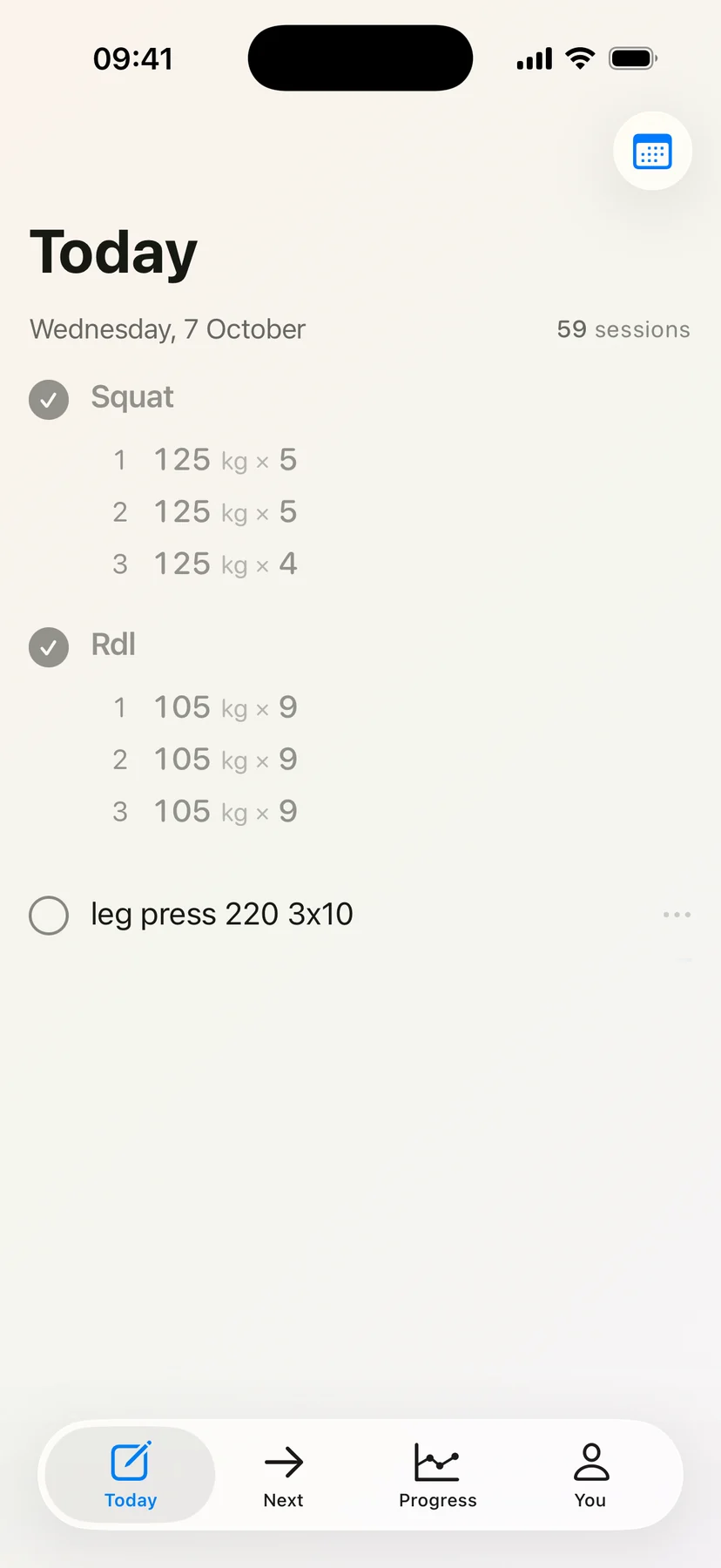
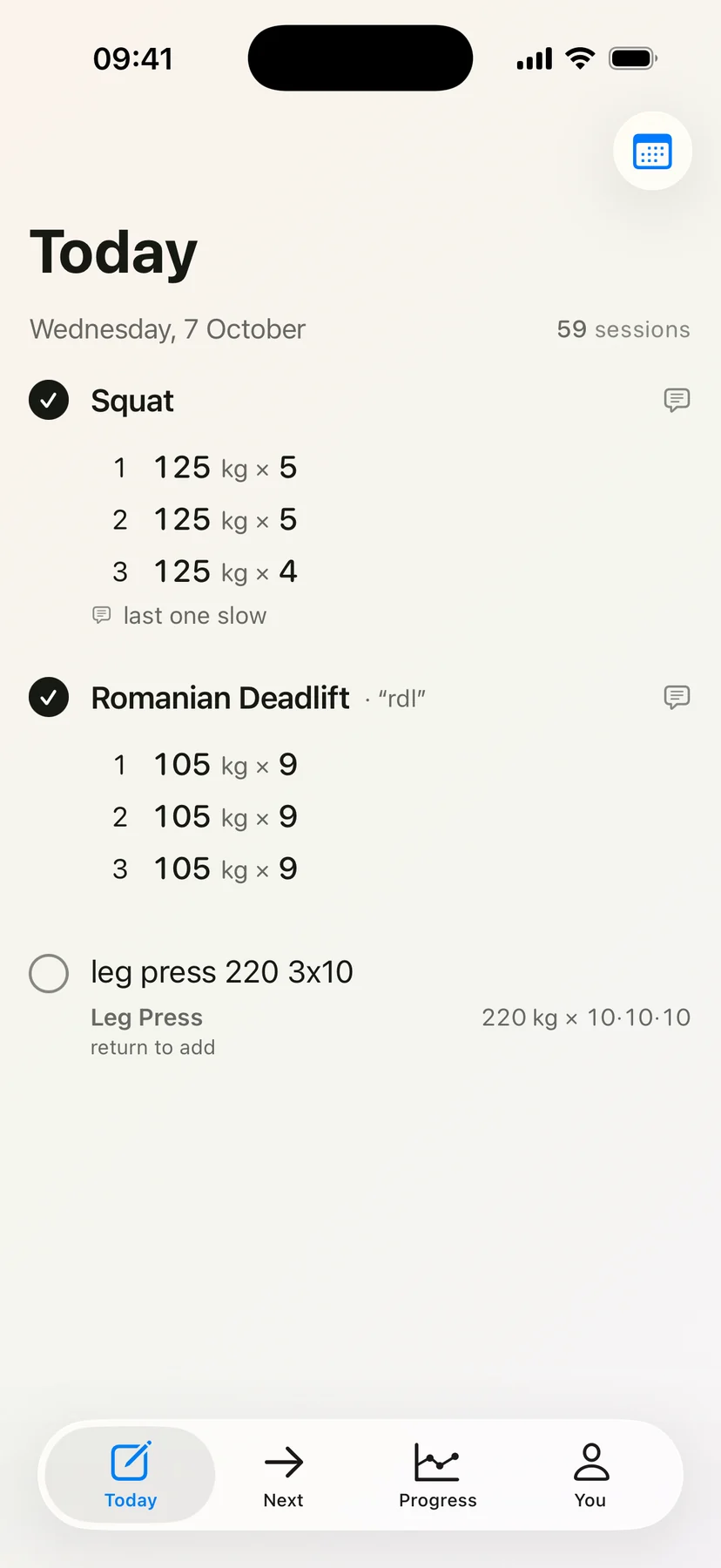
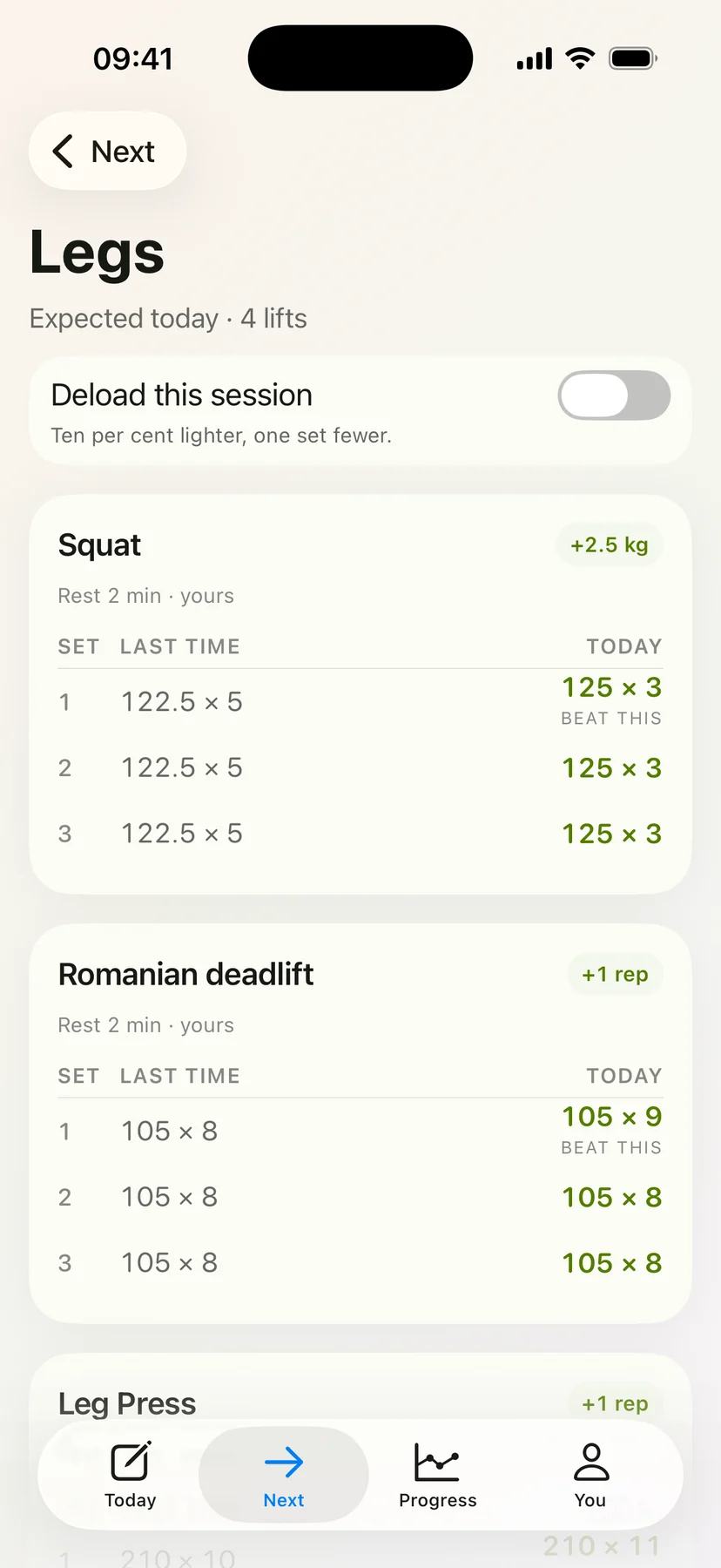
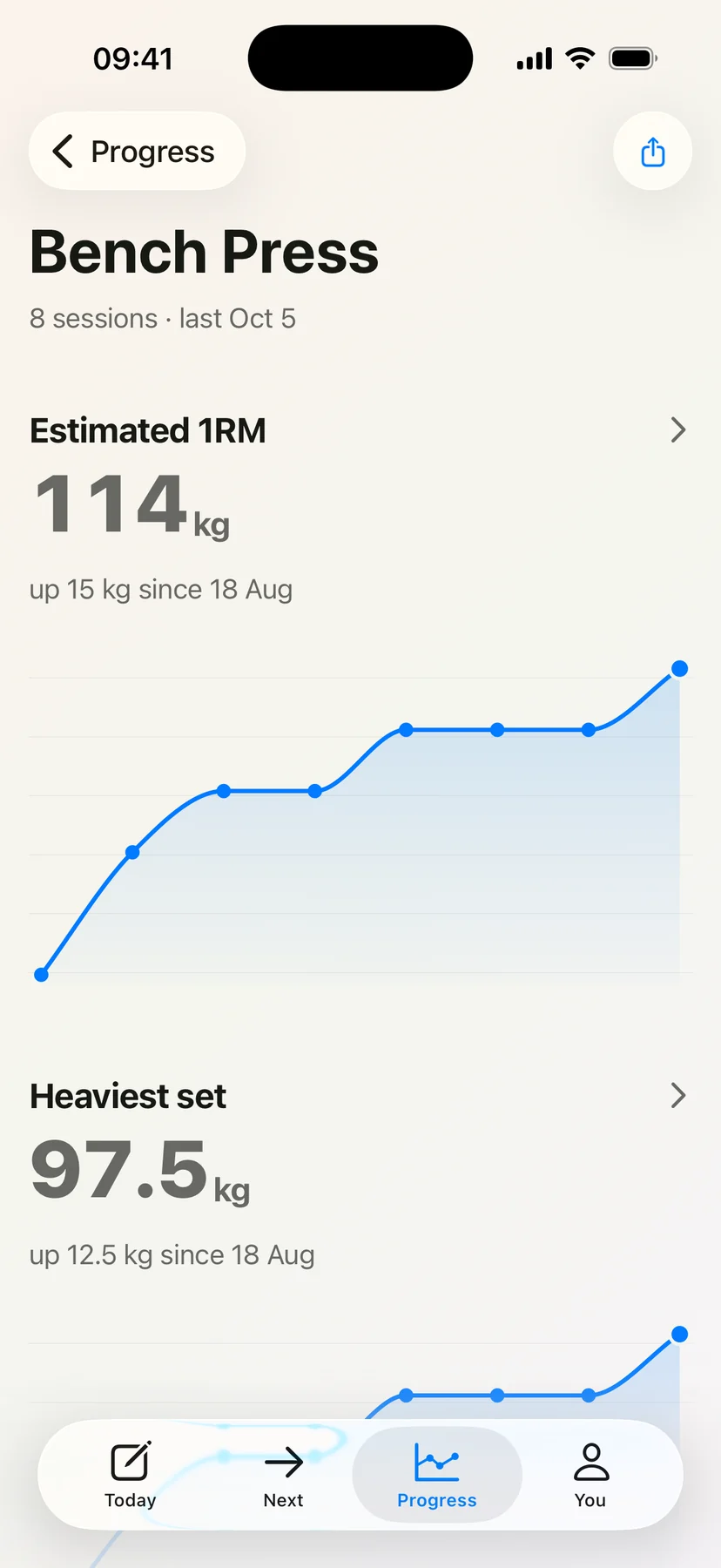
From one line to your next session.
Type leg press 220 3x10, or just say it.
Your line becomes sets and reps, and your words stay as you wrote them.
Next time, it tells you what to lift, based on what you did last time.
Every number comes from a set you really did.
Three sets, one line. Nothing to tap between them.
A set logger
Back squat is picked from a list, then each of the three sets gets its own row: a weight field with 114.5, a reps field with 5, and a tick.
A row for every set: the weight, the reps, a tick. Then the next row.
Recore
You typedBack squat 114.5x5x3

One line, typed the way you’d say it. Recore reads it into the same three sets.
What you wrote decides what comes next. Every number comes from your record.
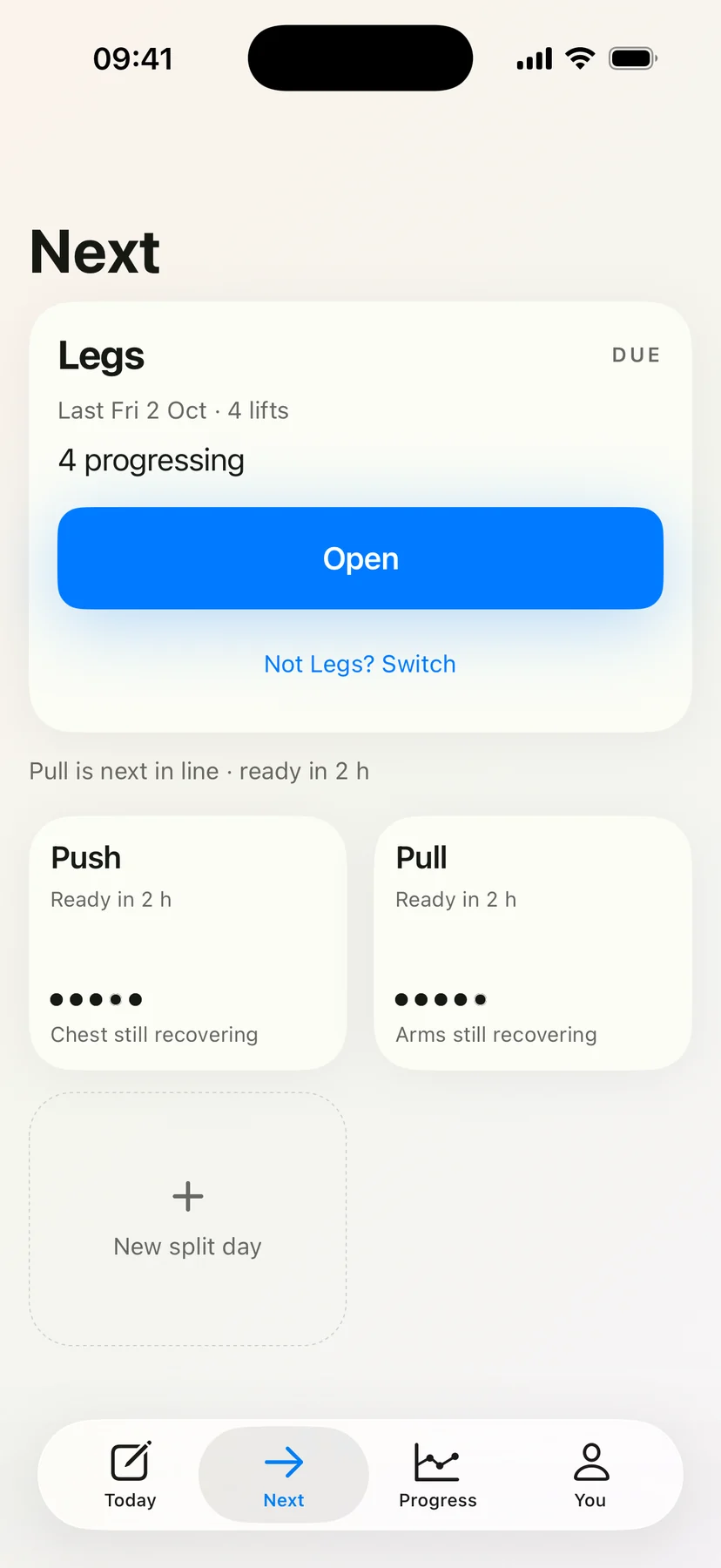
Next puts the day that is due on top, with when you last did it and how many of its lifts are moving up. The days still recovering say when they will be ready.
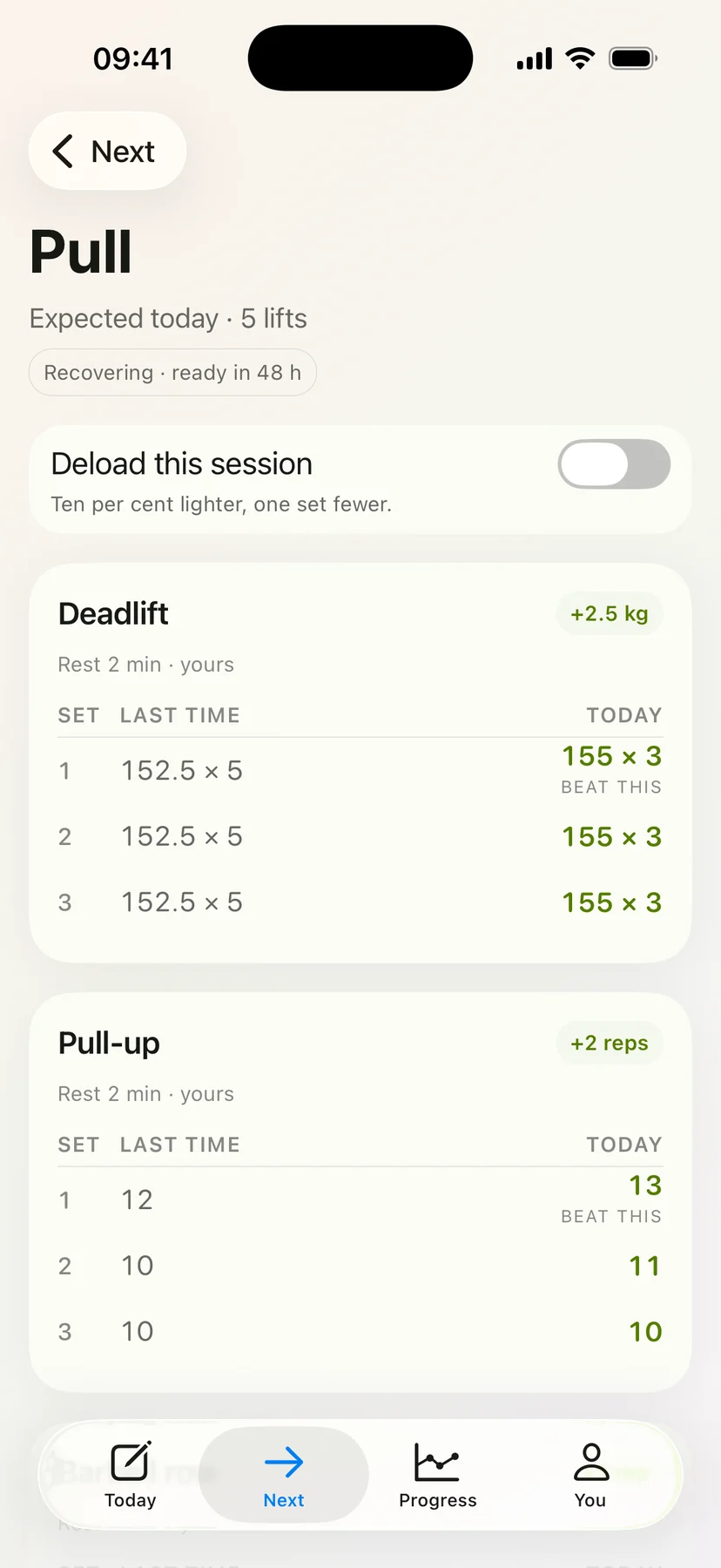
Each lift shows last time beside today, set by set, with the set to beat marked. One switch turns the day into a deload: ten per cent lighter, one set fewer.
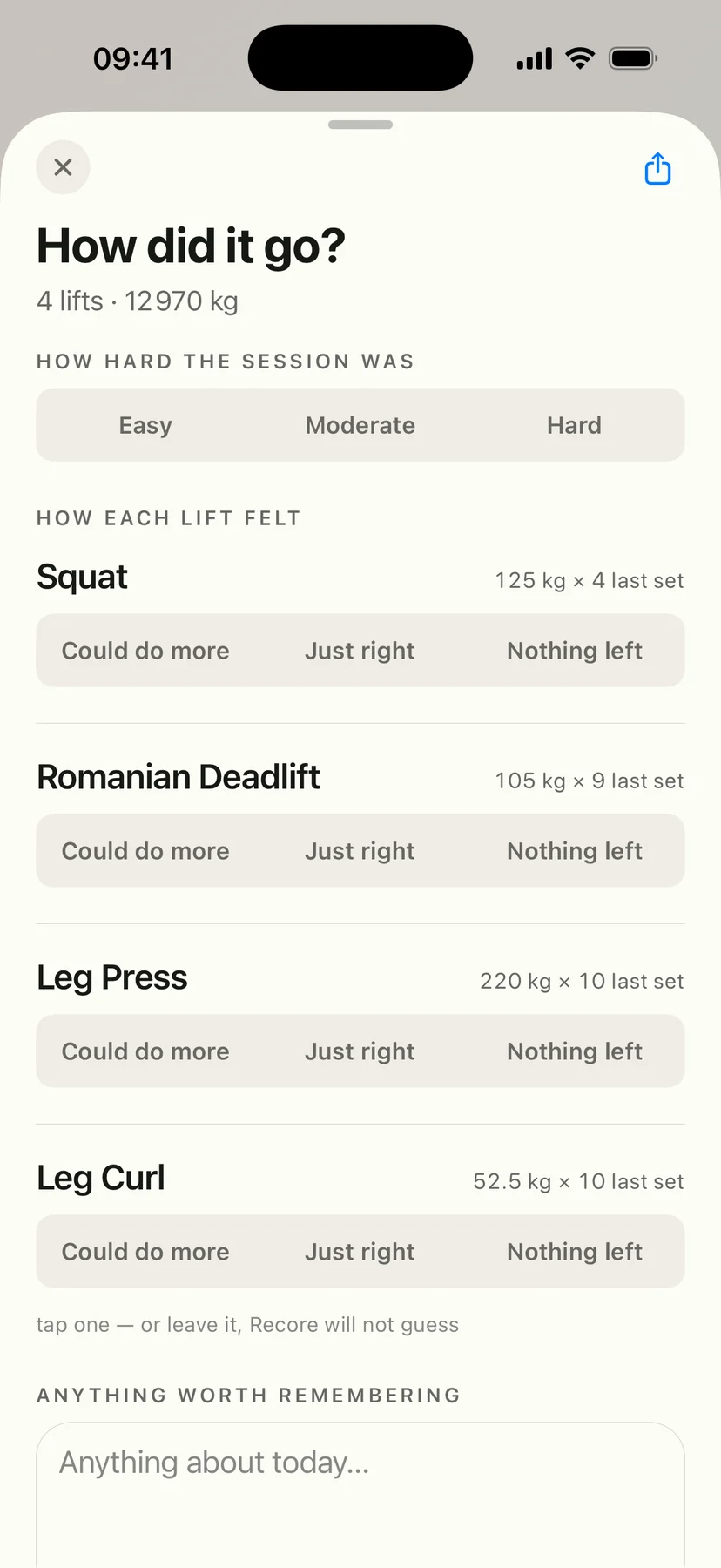
How hard the session was, and how each lift felt against its last set. Tap one or leave it; Recore will not guess.
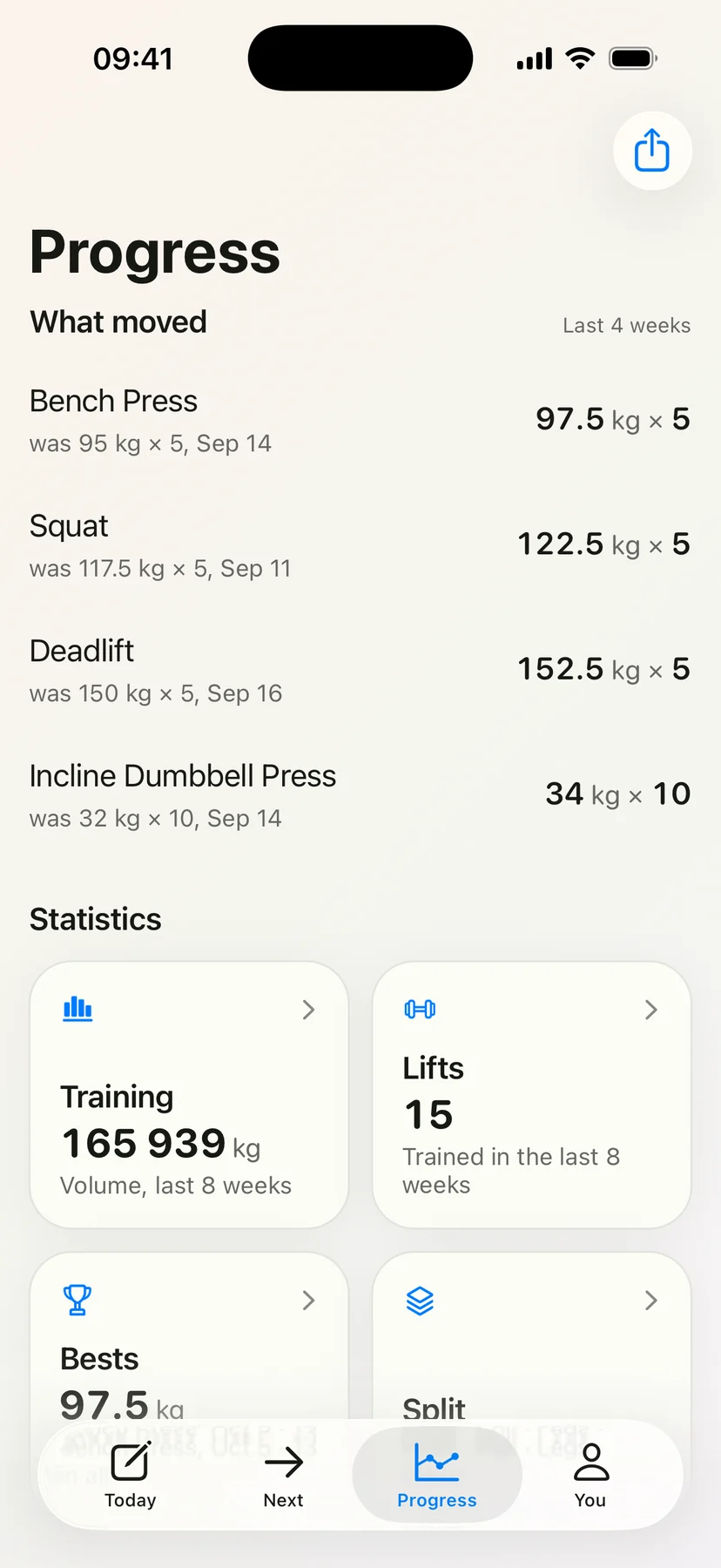
The last four weeks, lift by lift, set against where each one was. Under it, the totals read from your record.
An estimated 1RM per lift, always labelled as an estimate, with the heaviest set over time underneath.
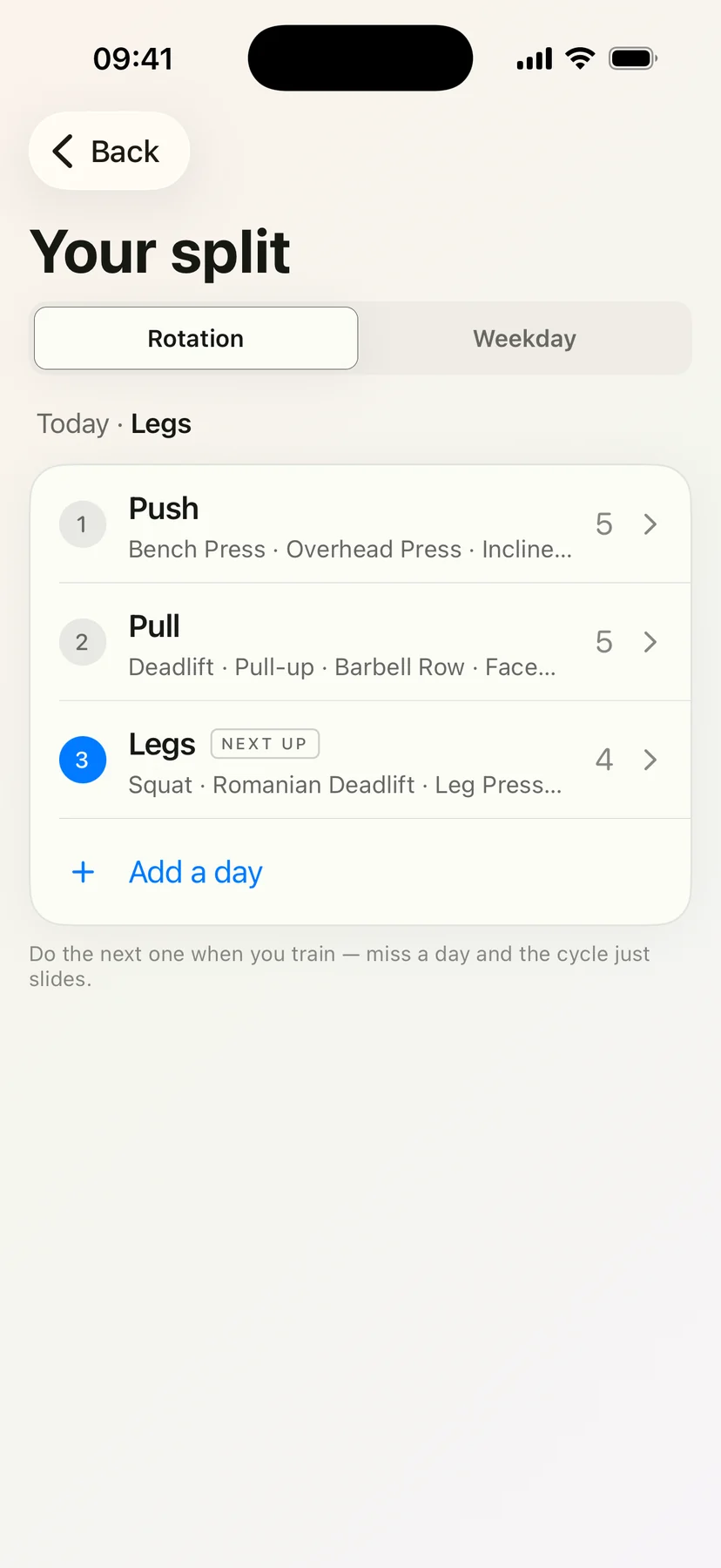
Push, pull and legs in a rotation, or tied to weekdays. Do the next one when you train; miss a day and the cycle just slides.
Your record stays yours.
Getting your record out, or deleting it, never waits on a subscription.
-
Works offline
Writing a session never waits on a network, a server or a model.
-
Complete export
Full JSON plus a CSV sets table, available even without an active subscription.
-
Full deletion
Delete your account and everything goes, on the phone and on the server.
-
Bring your history
One CSV from Strong or Hevy carries every session and every set across, at setup or any time later.
-
Local analytics
They stay on the device and come with your export. No third-party analytics SDK.
-
One notification
An optional weekly recap, on a day and time you pick. Nothing else recurring.
Questions, answered.
What do I actually type?
A line, the way you’d say it. bench 100kg 5,5,4 works, and so do Back squat 114.5x5x3, benchpress 120kg x 10,10,10 and Pull-up 3x8.
A remark written inside the line, like felt strong, stays attached to that exercise as a comment. You can speak the line instead of typing it, in your phone’s own language where Apple supports it.
What if it reads a line wrong?
Correct it, and the correction sticks. Long-press a settled entry and the structured reading flips back to the exact line you typed, because the text is what Recore keeps.
Do I have to rate every session?
No. The check-in is optional: how hard the session was, how each lift felt, and a free note. It is never shown to anyone, and if you skip it Recore does not guess.
Can I bring my history from Strong or Hevy?
Yes. Export a CSV from either app and pick it in Recore, at setup or any time later. Every session and every set comes across, each day gets a line in Recore’s own voice, and days you already wrote in Recore stay exactly as you wrote them.
What will it cost?
Recore will be a paid app. Pricing is not announced yet.
Why Recore exists
I kept my training in Apple’s Notes app, because typing one line between sets was the only thing fast enough. Every logging app I tried wanted tap after tap for a single set, then told me I was improving when my numbers said I wasn’t. So I built the one I wanted. I write the set the way I’d say it out loud, and every number Recore shows me comes from something I actually lifted.
Start with one session.
Recore is not out yet. Leave an email and you’ll hear once, on the day it is.
iOS. One email, on the day Recore opens. Nothing else.
You’re on the list.
One email, on the day Recore opens on iOS. Nothing before it, nothing after it.